For longarm quilting studios
Less time on paperwork. More time at the frame.
Illuminate takes care of the business side of your longarm studio. Quotes, quilts, customers, invoices, supplies and tax time, in one simple app on your iPad, your phone or your computer.
Illuminate is being tried out by a small group of quilters before it opens to everyone.
Already trying it? Open Illuminate
- Big buttons, plain words
- Works without the internet
- Your records stay yours
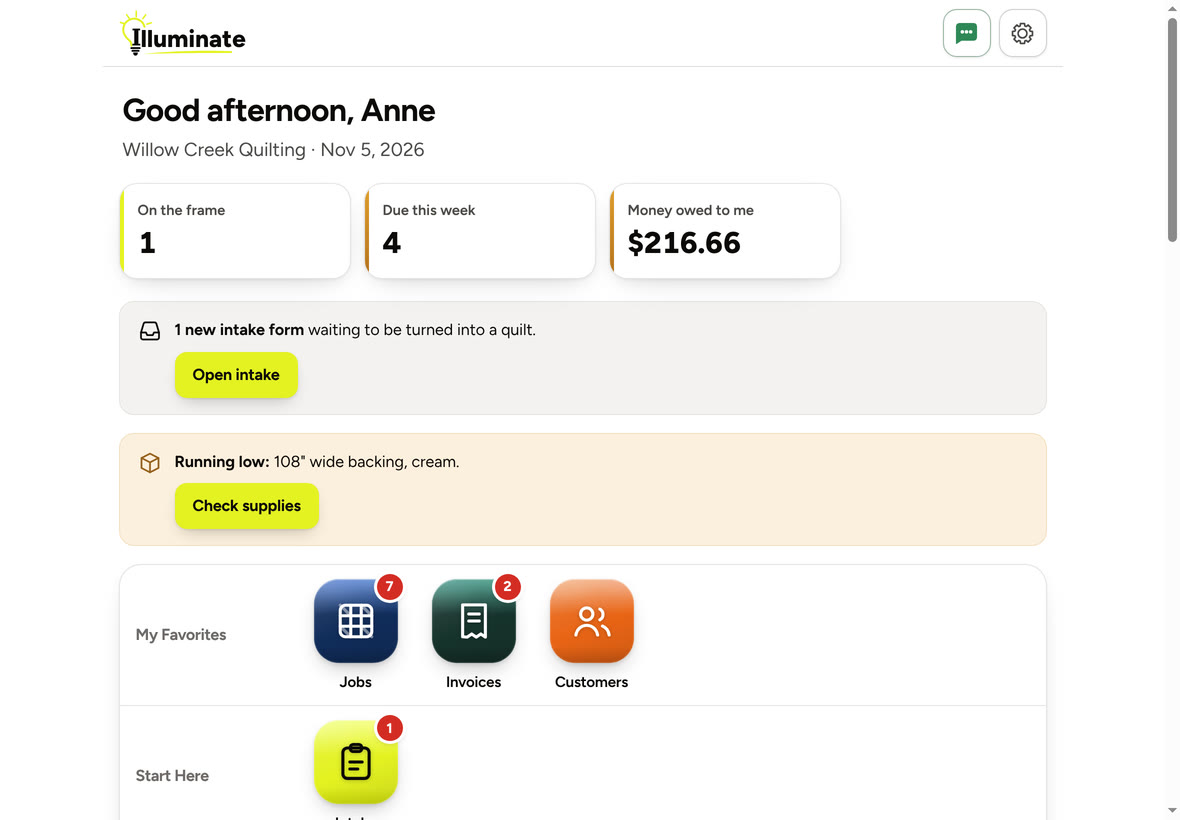
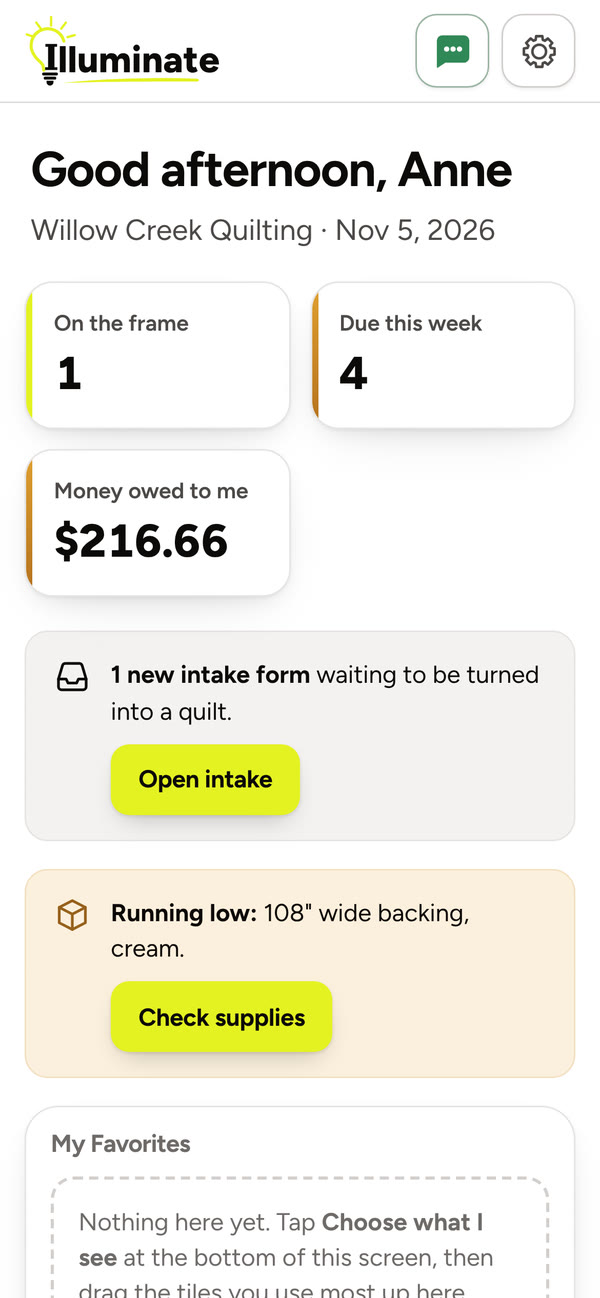
See it in two minutes
A short tour of Illuminate, with a voice to walk you through it. Captions are under the CC button if you would rather read.
Everything your studio runs on
From the first quote to the last receipt of the year, in one place, made to be easy.
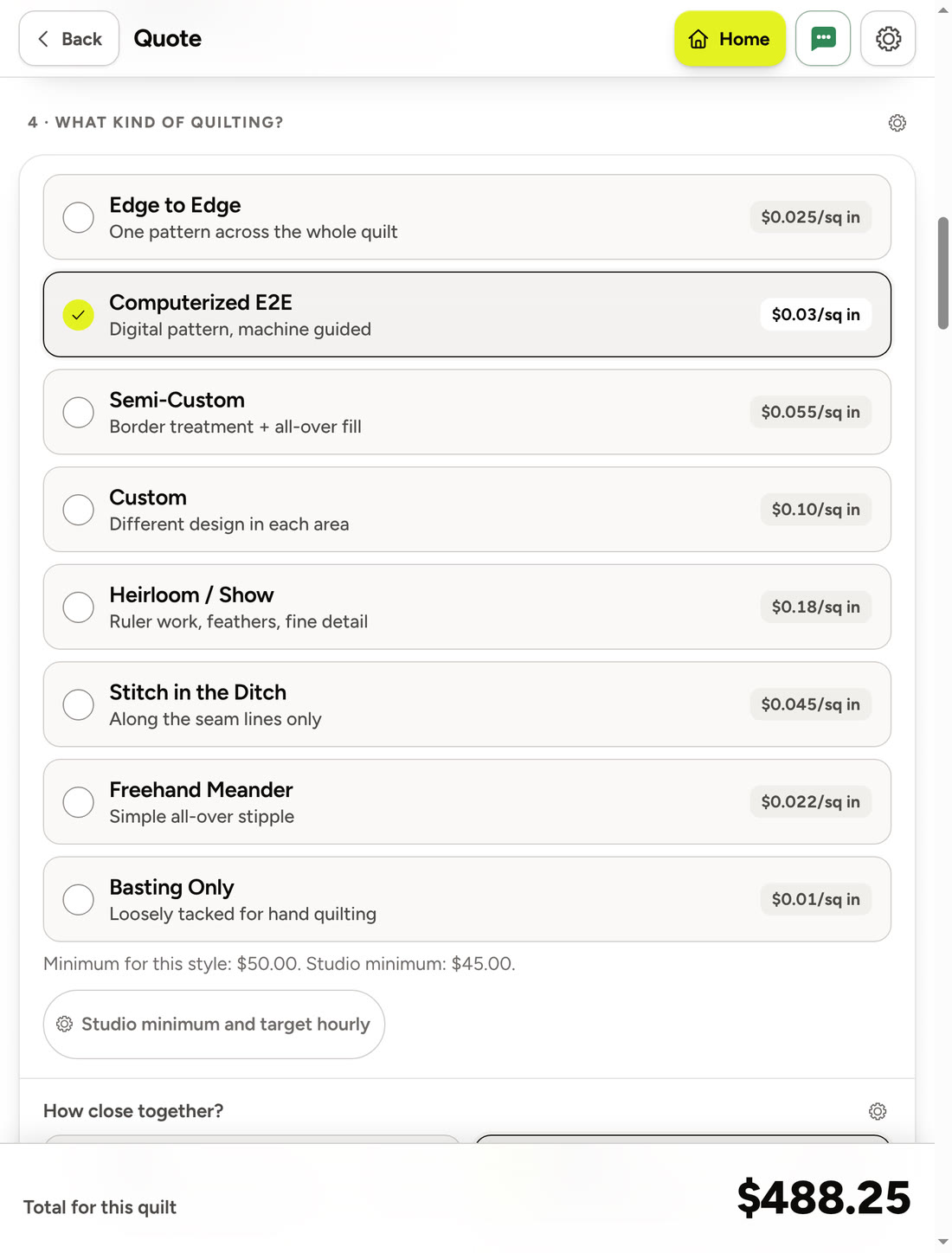
Price a quilt in about a minute
Choose the customer, pick a size, then the quilting and how close together. Batting, backing, binding and thread are a tap each. The price updates as you go and shows what the quilt earns you for every hour of your time, so you know it is right before you say it out loud.
- Every price comes from your own price list
- Change a price right there on the quote, with the little gear
- Your minimum charge, a rush, and a discount for your guild, worked out for you
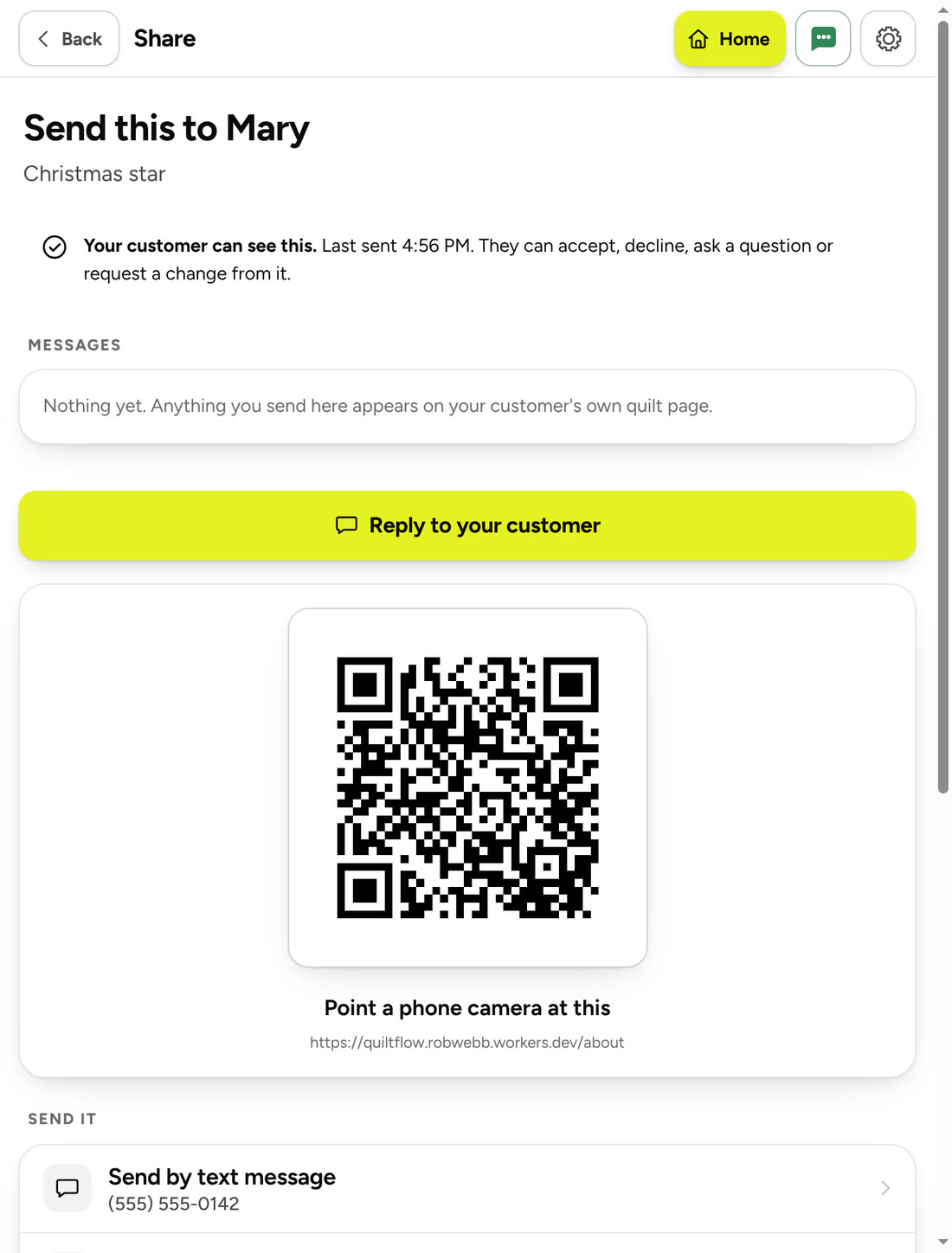
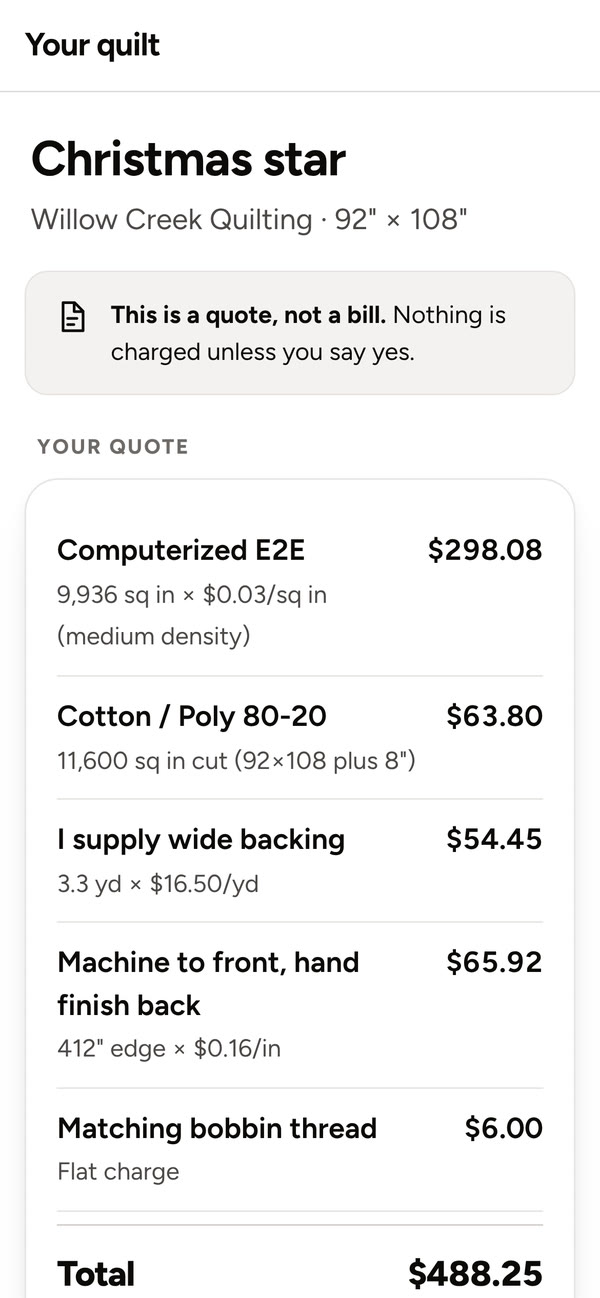
Your customer says yes from their phone
Send a quote by text, by email, or from a QR code at drop-off. Your customer gets a private page of their own, with nothing to download and no account to make. They can say yes, ask a question or ask for a change, and their answer is waiting for you in Illuminate.
- They see the price line by line, so nothing is a surprise
- Once they say yes, the same page shows how their quilt is coming along
- Reply to them from the app, and they see it on their page
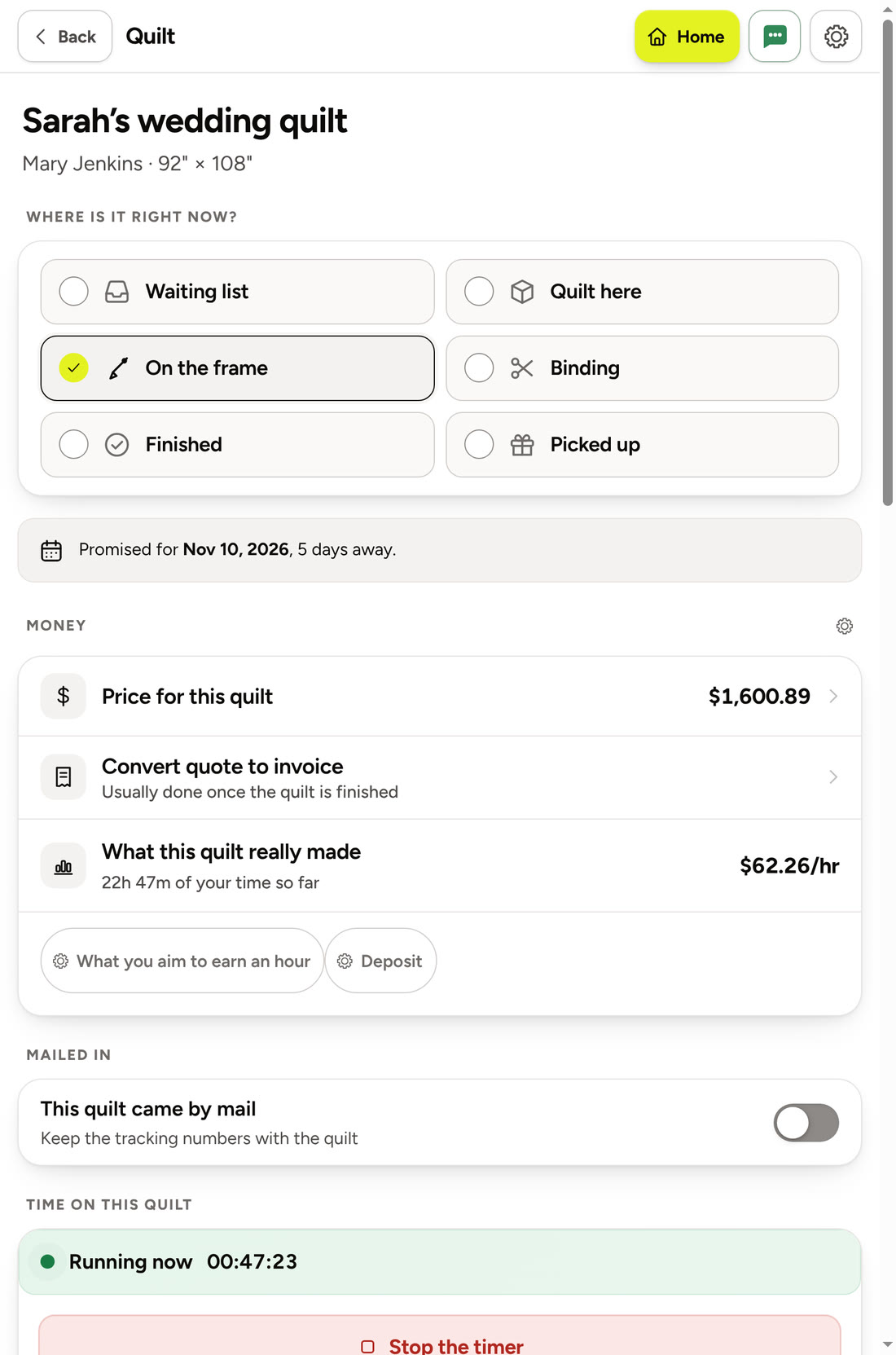
Know where every quilt is
Once a customer says yes, the quote becomes a quilt. Waiting, on the frame, binding, finished and picked up: one tap moves it along, and Home shows what is on the frame and what is due this week. A timer keeps track of your hours, so you learn what each quilt really paid you.
- A promised date on every quilt
- What this quilt really made, by the hour
- A work order to print for the frame
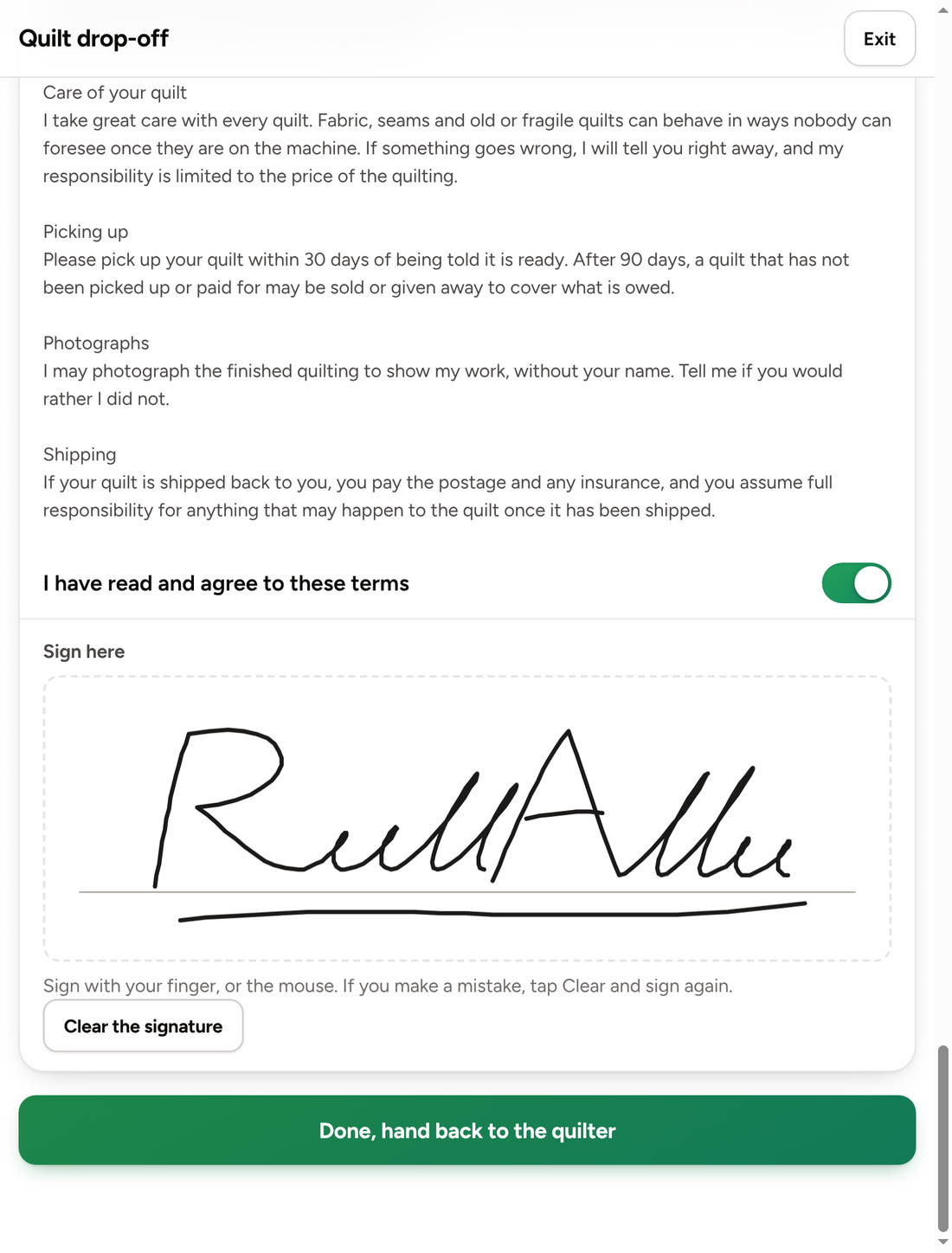
Hand them the iPad at drop-off
Your customer fills in their own details, reads your terms and signs with a finger. No clipboard, and no guessing at somebody else’s handwriting later. Rather have paper? Print the same form.
- You choose which questions it asks
- Your terms, in your own words
- While they hold the iPad, your prices and records are out of reach
Getting paid, without the chasing
From the finished quilt to the money in your hand, with nothing to work out yourself.
One tap from finished quilt to invoice
Every charge from the quote is already on it. Print it, save it as a PDF or send it by email.
Note a payment, and the balance looks after itself
However they paid you, note it in a tap. Deposits too. You always know what is still owed.
See what each quilt really earned
Home shows what you are still owed. Reports show money in, money out, and what every quilt paid you for your time.
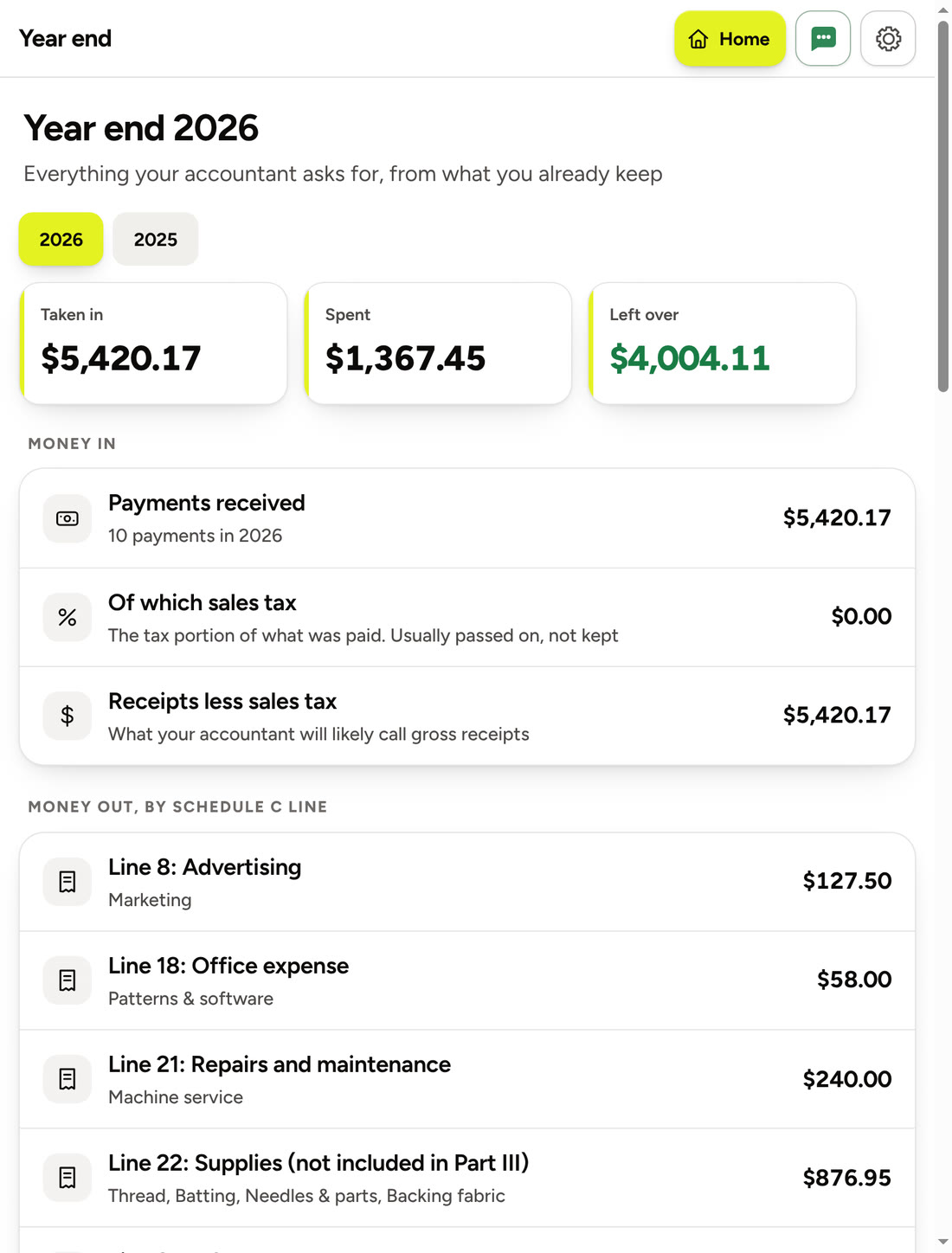
Tax time, already sorted
Expenses, receipts and miles are kept as you go, and added up on one page you can hand to whoever does your taxes, set out by the lines of a US Schedule C. Illuminate keeps the figures tidy. It does not give tax advice.
- A photo of the receipt, kept with each expense
- A mileage log for trips to the shop and the guild
- One file to send to your accountant
And the rest of the studio, too
Customers
Every customer keeps their whole history, with their quilts and your notes in one place.
Supplies
Keeps count of batting, backing and thread, and tells you when something is running low.
Patterns
Your pantographs in one library, with a drawing of each where the file allows it.
Portfolio
Photos of your finished quilts, ready to show a customer at drop-off.
Your week
Promised dates are checked against the hours you really have, before you say yes.
Help
Pictures of the real screens, so you can see exactly what to tap.
Made to be easy
If you can send a text message, you can use Illuminate.
- Big buttons and plain words. No jargon.
- Larger text and bigger buttons, with one switch.
- A short tour the first time you open it.
- Everything saves as you type.
- Works without the internet, and catches up when you are back online.
- Hide anything you never use, so each screen shows only what you need.
Questions people ask
Do I need to be good with computers?
No. Illuminate was made for quilters who would rather be quilting. The buttons are big, the words are plain, and a short tour shows you around the first time. Help has pictures of the real screens, so you can see exactly what to tap.
What do I need to use it?
An iPad, a phone or a computer with a web browser. There is nothing to install. On an iPad or a phone you can put it on your home screen, where it opens like any other app.
Does it work without the internet?
Yes. Once you are signed in, everything works with no signal, and it catches up when you are back online. Sending a quote to a customer needs the internet, of course.
Can I use it on my iPad and my phone?
Yes. Sign in on each one and they show the same quilts, customers and invoices.
Do my customers need an app or an account?
No. Their page opens on any phone from a text, an email or a QR code. There is nothing for them to download and nothing to sign up for.
Can I bring my customer list with me?
Yes. Illuminate can read a spreadsheet, such as one saved from Excel, or the contacts from your phone. It shows you what it found before anything is added.
Who can see my records?
Your records belong to you. They are kept on your own devices and in your own account, and no other quilter can see them. You can take a full copy out whenever you like. The privacy page explains, in plain words, what is kept and where.
Does it do my taxes?
No, and it does not give tax advice. It keeps your income, expenses, receipts and miles tidy all year, and adds them up on one page for whoever does your taxes.
What does it cost?
Nothing, while Illuminate is being tried out. Nobody is asked for a card.
Less time on paperwork, and more time at the frame.
Illuminate is being tried out by a small group of quilters before it opens to everyone.
Already trying it? Open Illuminate